Keep a little.Hear yourself.

Your private journal, with Jotty to talk things through. Capture a thought in words, photos or your voice.

Made for iPhone, iPad and Apple Watch

A moment to keep
Sun18Mon19

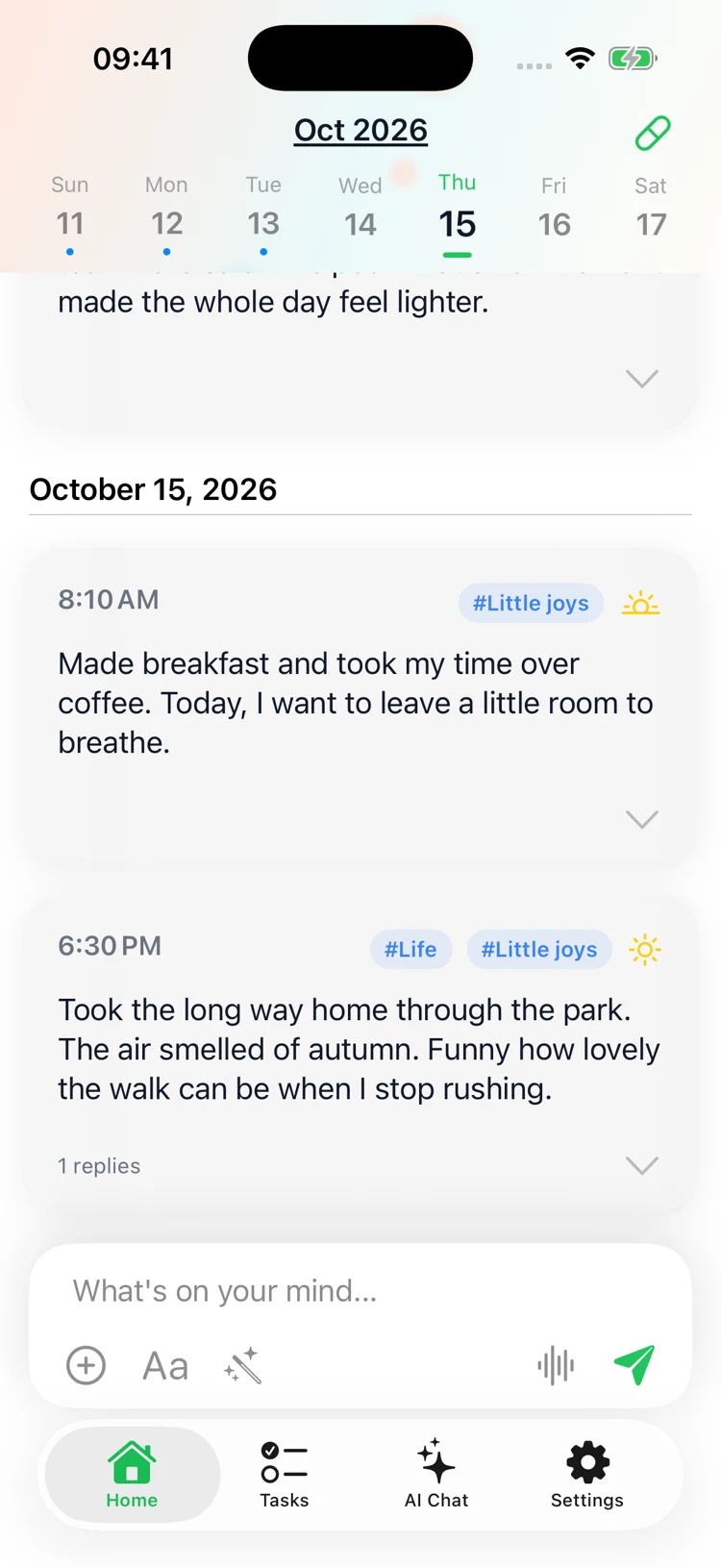
I took the long way home through the park. The air smelled of osmanthus. When I’m not rushing, even the way home can be beautiful.

JJottyJournal companion

That scent feels like a little gift from your detour. Work had the whole day. This part of the way home can belong just to you.
What’s on your mind…
Sample entry and replyPick a date to turn the page

A few words.
A day kept.

No title needed. No need to account for your whole day. A few words, a photo or a voice note can be enough to remember it.

In your own way.

Write, add a photo or turn your voice into words. Keep the moment in the way that feels natural to you.

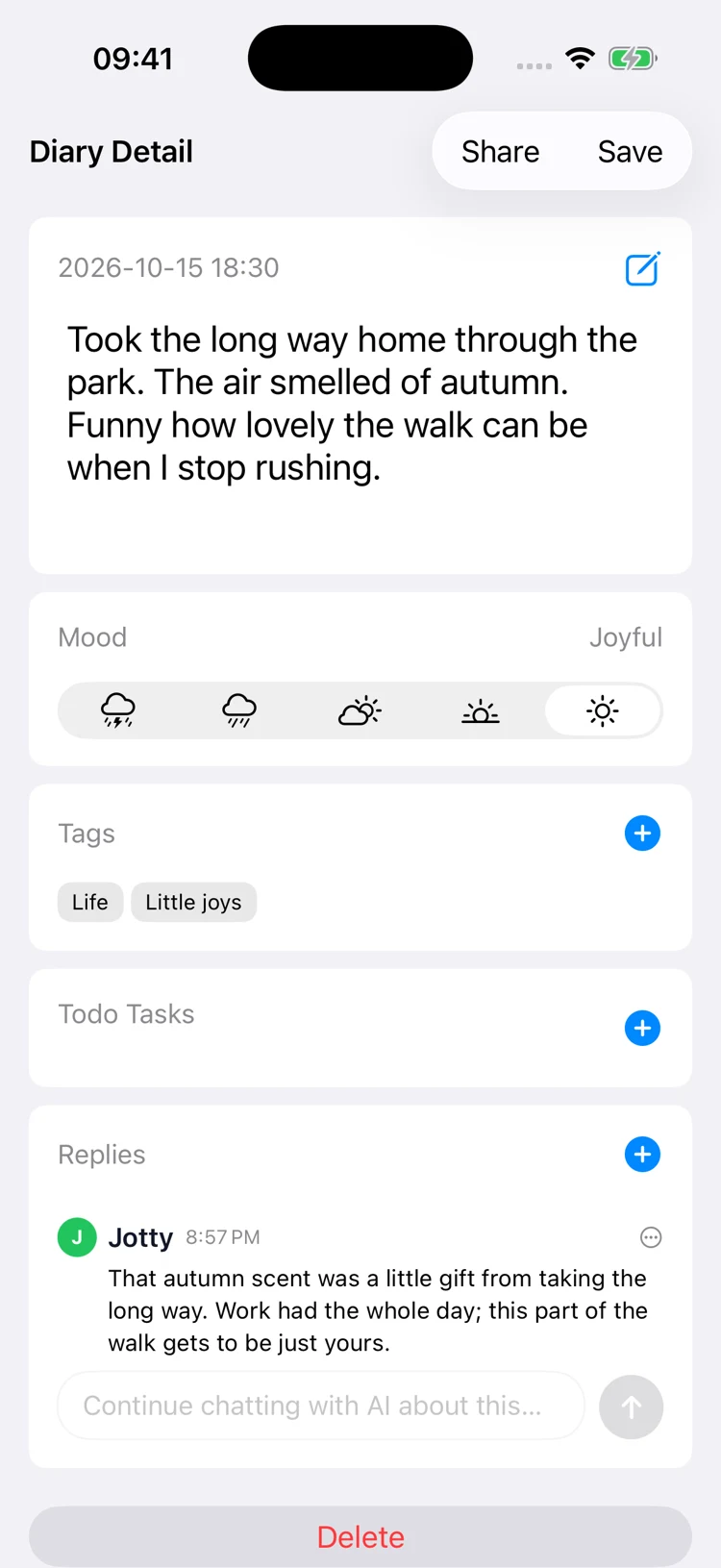
MindJot entry details with mood and tags

Give the day a mood.

MindJot journal with a weekly calendar, dated entries and a quick-entry composer
Real app, sample entries

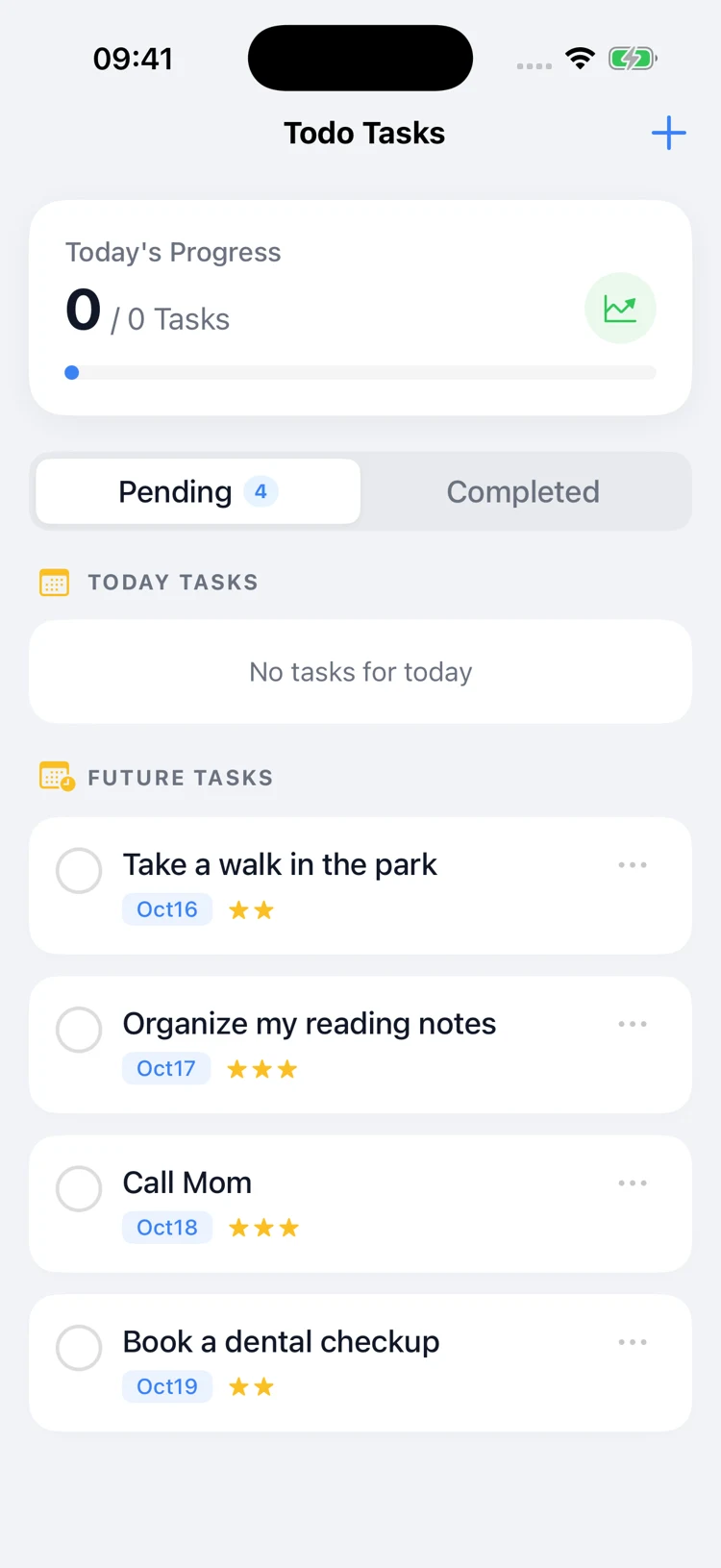
Plans, remembered.

Turn plans in your journal into tasks. See them together and add a reminder when you need one. Let a thought become a next step.

MindJot task list

Find your way back.

Dates, moods and tags help you find the entry you want to read again.

Read your days.
See yourself.

Some thoughts become clearer on the page. Some answers are there in the days you’ve already lived.

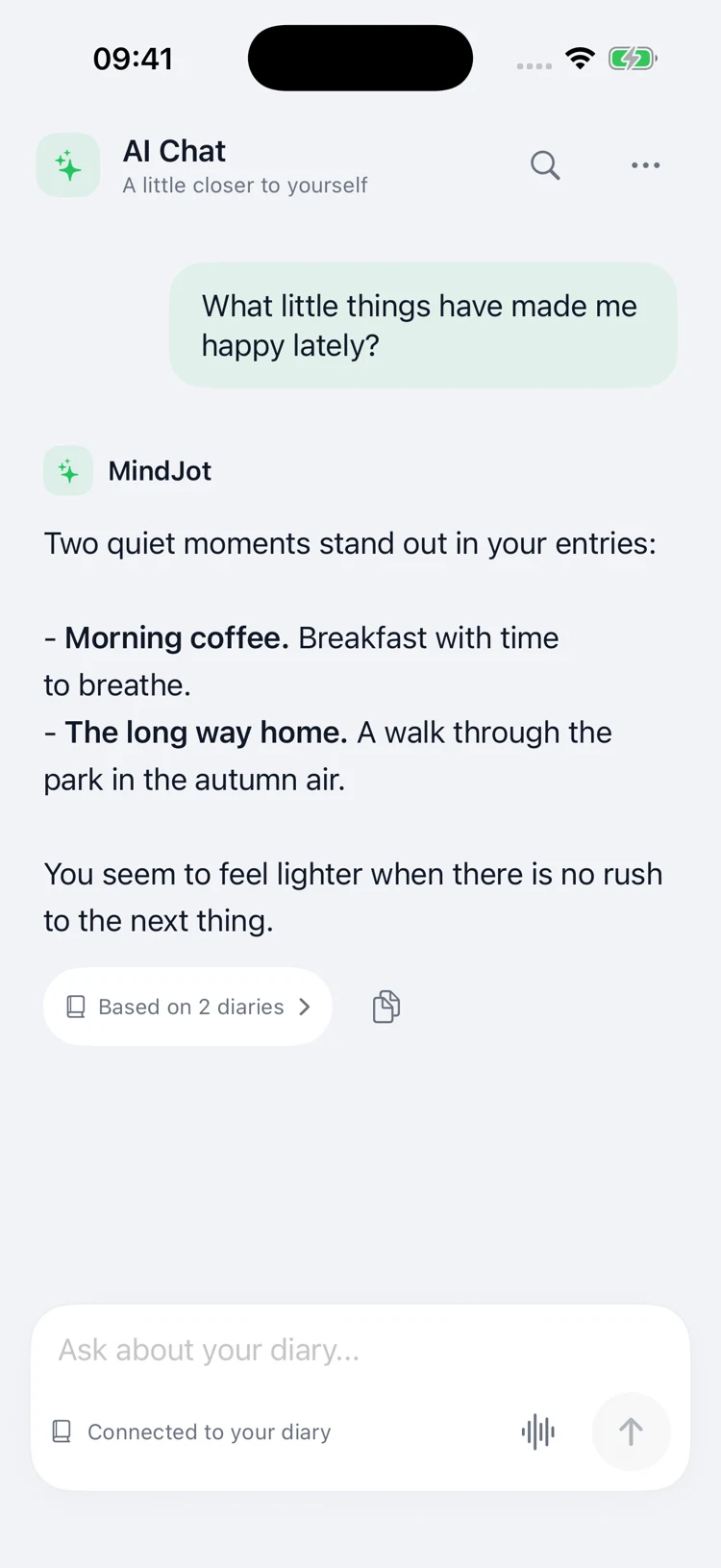
An AI conversation drawing on two entries to find recent moments of joy

Keep the
conversation going.

Talk with Jotty about an entry, or let a conversation draw on related records. Give your scattered thoughts a little space to come together.

Choose an AI character, or shape your companion’s personality and way of speaking.

Let a day
find you again.

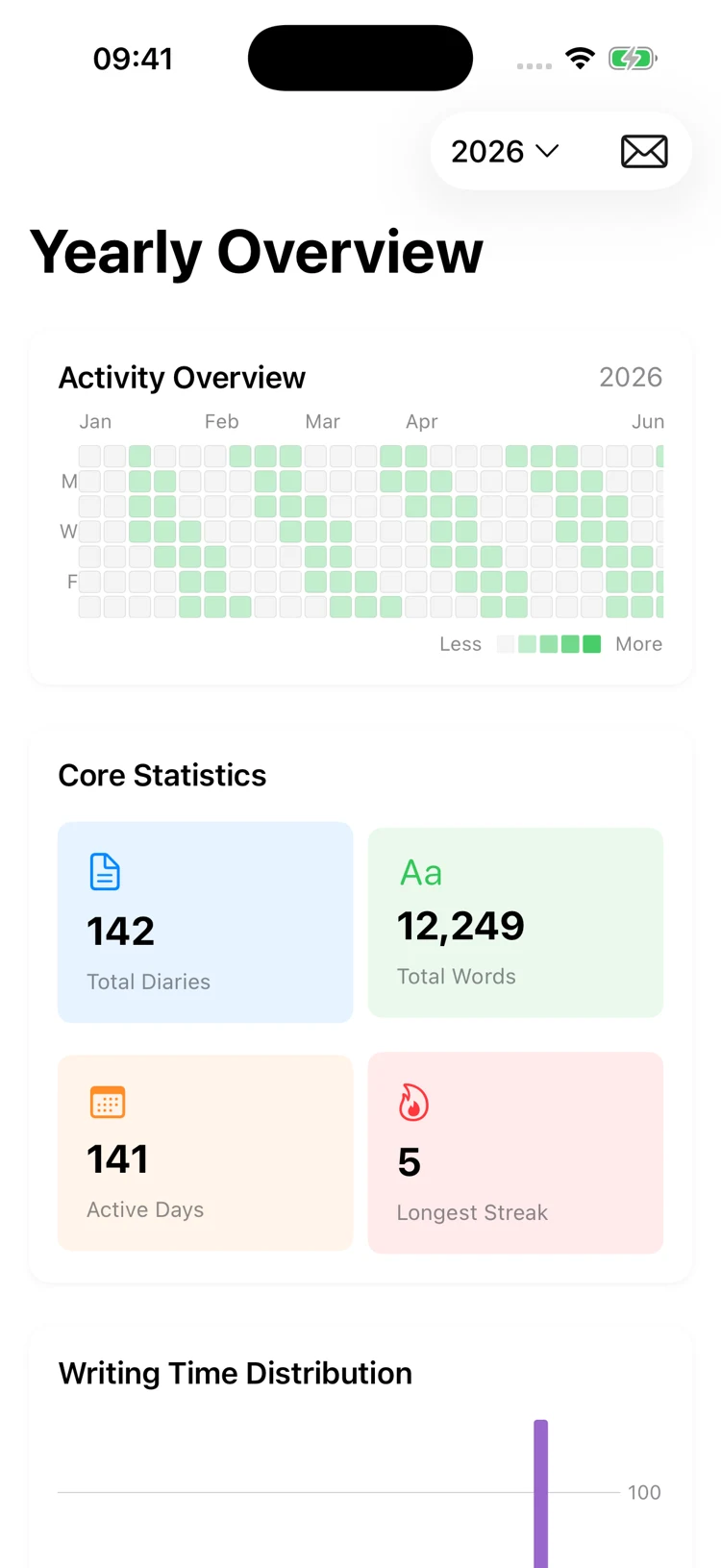
Weekly and monthly summaries, along with a yearly review, bring back your moods, experiences and the little things you almost forgot.

AI requires your permission. Some features require Plus. Screens show preset sample content.

MindJot yearly review showing sample entries and mood patterns

Your words.
Your choice.

It’s your journal. Where it lives, and whether AI takes part, should be up to you.

Read the privacy policy

A space of your own

Keep your journal locally. On Apple devices, you can choose personal iCloud sync, enable app lock and export your records.

AI, with your permission

When you authorize AI, relevant content is sent to the configured AI service for processing. You can turn AI off and manage memories used for personalization.

Clear platform boundaries

Android uses independent local storage. Its journal is separate from your Apple iCloud journal.

Before you begin.

A few things to know before your first entry.

Is MindJot free?

MindJot is free to download. Some AI and advanced features require a MindJot Plus subscription. See the app for current prices and included features.

Can I write offline?

Yes. You can keep entries locally without a constant connection. AI processing and iCloud sync need internet access. Availability depends on your platform and settings.

What does AI receive?

After you authorize a relevant feature, related journal or conversation content is sent to the configured AI service. You can turn AI off and manage personalization information and memories.

Which devices can I use?

MindJot supports iPhone, iPad and Apple Watch. Check the App Store for system requirements. An Android version is in preparation, with independent local records and backups.

Can I take my journal with me?

Yes. MindJot supports journal export. The Android version also offers Markdown and photo export, plus backup and restore. Check the export settings in your app for available formats.

A few words.
Start today.

Make a little room for yourself.

Get the iOS app

Free to download. Some features require a subscription.
Android is in preparation.

MindJot app iconFor yourself, today

The words don’t
have to be perfect.

MindJot